Your own subdomain
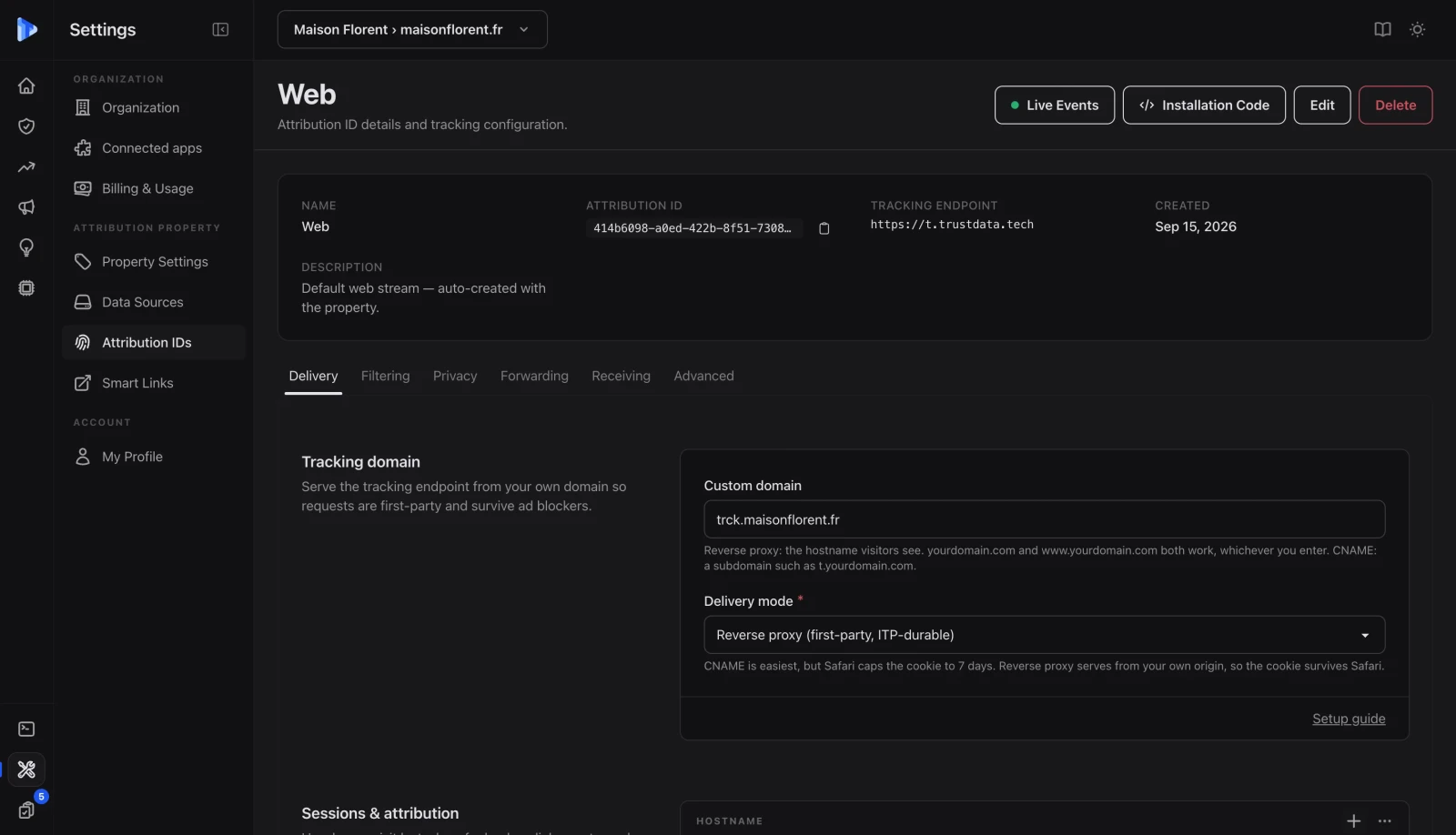
Give a blocklist no third-party host to match
Optional, and the reason to do it: on your own subdomain the snippet and the endpoint are both yours.
Key takeaway
One event, collected once, does three jobs. It fills the gap in your analytics, it goes back to the ad platforms as a server-side conversion, and it is the row attribution runs on. Every tool downstream reads the same event, which is why the numbers stop disagreeing.
Collection
Start on our collector. Move it onto your own subdomain when you want nothing left to block.
Optional, and the reason to do it: on your own subdomain the snippet and the endpoint are both yours.
Sessions group by a hashed IP and user agent computed server-side, ephemeral and not reversible to a person.
Without consent, collection runs anonymously with no client-side storage. With consent, a first-party cookie makes the visitor persistent.
Under 5KB compressed and async, one snippet in the head, or the native app on Shopify. No DNS change needed to begin.
Forwarding
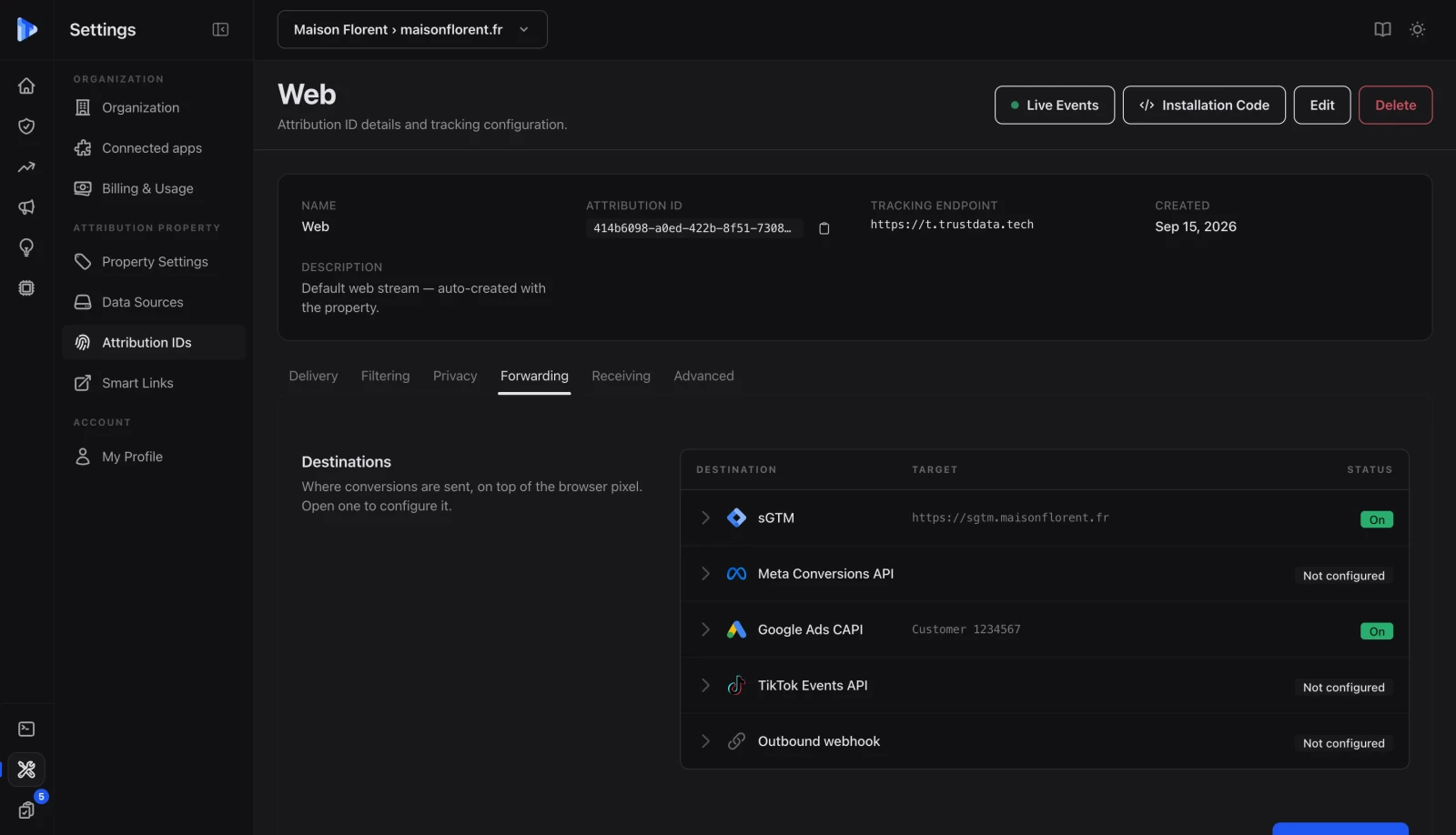
The optimiser never learned from a conversion the browser never reported.
It maps to Meta Conversions API, Google Enhanced Conversions and the TikTok Events API.
Server-side events carry the key matching them to the browser pixel, so nothing is counted twice.
Forward personal fields only for visitors who consented to marketing. Everyone else still counts in your own analytics, they simply leave without identifiers attached.
Purchases are read from Shopify webhooks or your backend.
Ownership
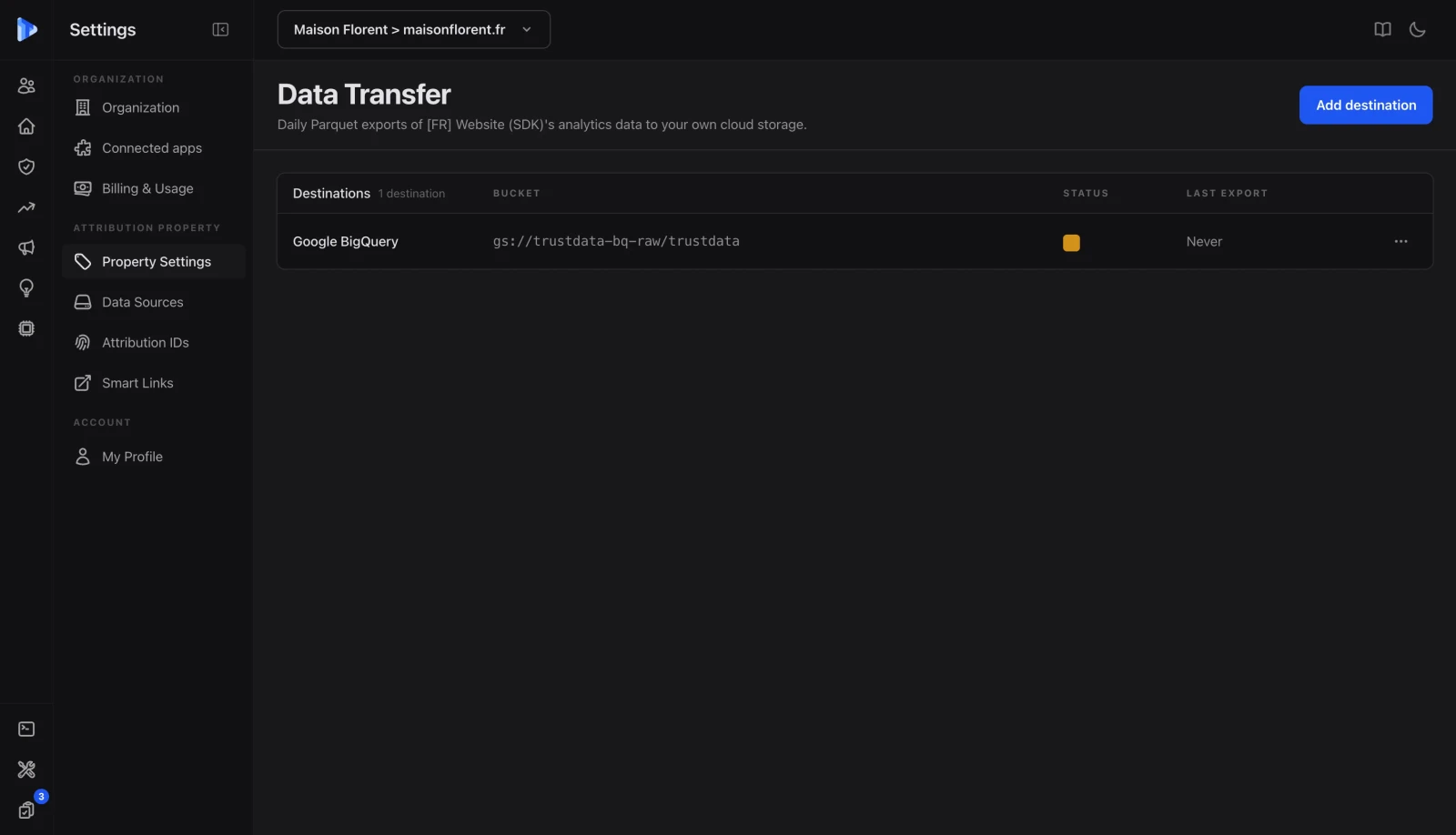
First-party means the data belongs to you, and the export proves it.
Events and attribution tables export to your Google Cloud Storage or Amazon S3 bucket, ready for BigQuery or Looker Studio.
Parquet for columnar analytics, CSV when a spreadsheet is the endpoint, both on the schema the dashboard reads.
Events are kept with no retention limit, and nothing gets aggregated away at a plan boundary.
Custom events, identity and installation, the rest of the collection layer.
Track clicks, form submissions and purchases through one API, with a user ID tying sessions together across devices.
One snippet in the head, the same as installing a tag manager. Shopify has a native integration that needs no code.
The same event stream feeds multi-touch attribution, AI referrer detection and the Trust Center's anomaly investigations.
Collected once, it is forwarded to the ad platforms, recovers the sales the browser never reported, and meets whatever else you connect.
One integration point for Meta CAPI, Google Enhanced Conversions and the TikTok Events API.
Orders read from Shopify webhooks or your backend, so a sale is recorded even when the confirmation page never fires.
Every connector, included on every plan with no per-tier cap. Ad platforms, analytics, back office, CRM, search consoles and tag manager.
FAQ
GA4 runs a client-side tag loaded from google-analytics.com, a domain every ad blocker list carries and that Safari treats as third-party. TrustData collects server-side from the start, which already changes what survives. Point a subdomain of your own site at the collector and there is no known domain left to match against at all. What a client-side tag loses is not random either: it skews toward Safari, Firefox and desktop users running blockers.
Yes, and this is the part most tools get wrong. Without consent, TrustData runs in anonymous mode with no cookies and no persistent identifier. Sessions are grouped by a server-side hash of IP and user agent that is ephemeral and cannot be reversed to an individual, which is how privacy-first tools like Plausible and Fathom operate and why that mode needs no consent banner. With consent, a first-party cookie is set and the visitor becomes persistent, which is what multi-touch attribution needs. Your total traffic count is complete in both modes.
Because 100% would not be true and we are not going to print it. A visitor who blocks JavaScript entirely, a bot filtered out on purpose, or a browser that fails the request leaves no record on any system. What we can say is that the collection runs on your own domain, so the usual reasons a client-side tag loses a visit do not apply. If a vendor promises you 100% capture, ask them what they do about a visitor with JavaScript disabled.
No. The compressed SDK is under 5KB and loads asynchronously, so it does not block rendering and does not move Largest Contentful Paint or the other Core Web Vitals. The collection request goes to a subdomain of your own site and is served from the edge, which also makes it faster than a round trip to a third-party analytics host.
You take it. Raw events and attribution tables export to your own Google Cloud Storage or Amazon S3 bucket in Parquet or CSV, on the same schema the dashboard reads, and there is no retention limit that quietly deletes history first. The export is available while you are a customer rather than only on the way out, because a data claim you can only test at cancellation is not a data claim.
14-day free trial
14-day free trial. One snippet, five minutes, and the same event stream feeds attribution, forwarding and AI visibility.